Everyday visibility
Per-core CPU histories. Memory pressure and swap. GPU activity. Read and write speeds. Individual network interfaces, without counting VPN traffic twice.
 VigilEARLY RELEASE
BUILT FOR APPLE SILICON
A native macOS system monitor with the depth of a terminal tool and an interface that feels at home on your Mac.
CPU, GPU, memory, disks, network, and processes. Live, local, and easy to read.
Download VigilApple Silicon only. Ad-hoc signed, not notarized. Read the first-launch note.
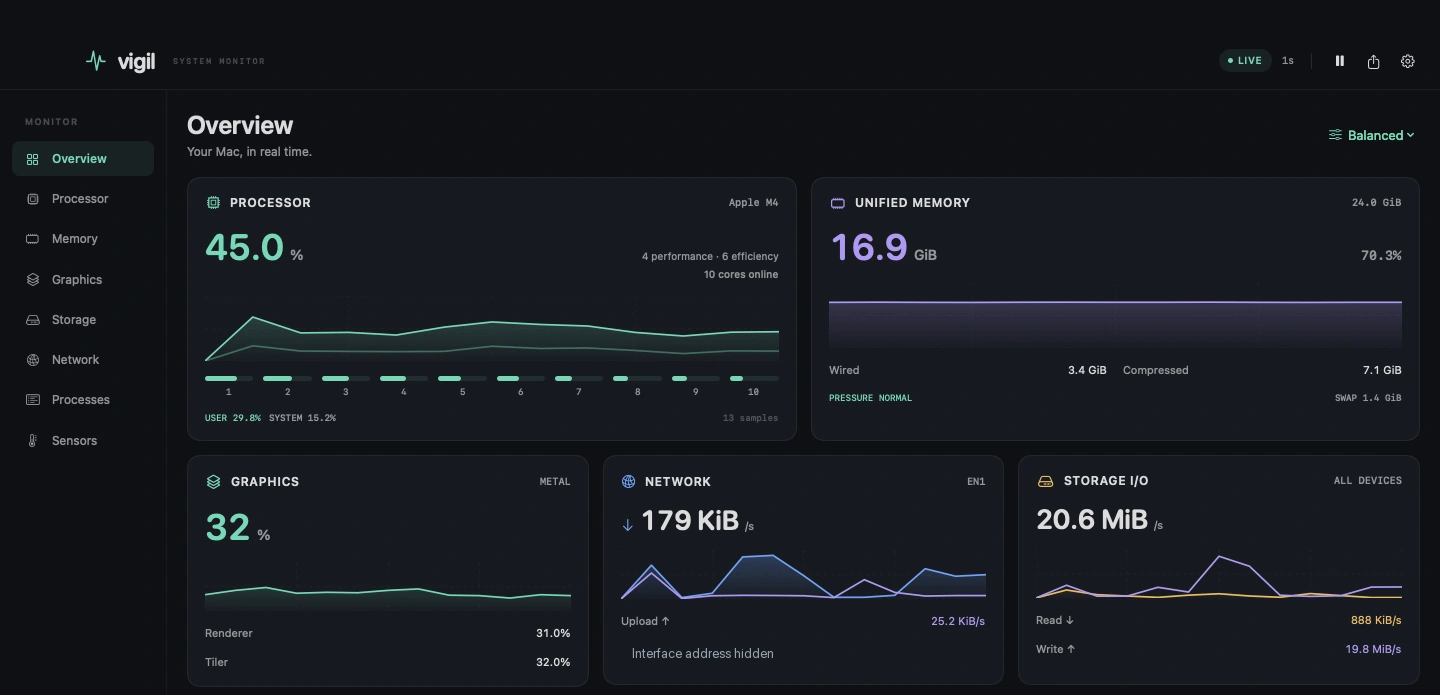
THE BIG PICTURE. THE SMALL DETAILS.
Start with the overview. Follow a spike into a specific core, interface, disk, or process. Keep the context as you go.
Per-core CPU histories. Memory pressure and swap. GPU activity. Read and write speeds. Individual network interfaces, without counting VPN traffic twice.
Search, sort, follow, or freeze the list. Expand a process tree and inspect arguments and resource histories. Send signals or change priority, with confirmation.
Read-only temperatures, fan RPM, system power, and active CPU/GPU clocks. Sensor keys remain visible. A missing reading says unavailable, not zero.
A CLOSER LOOK
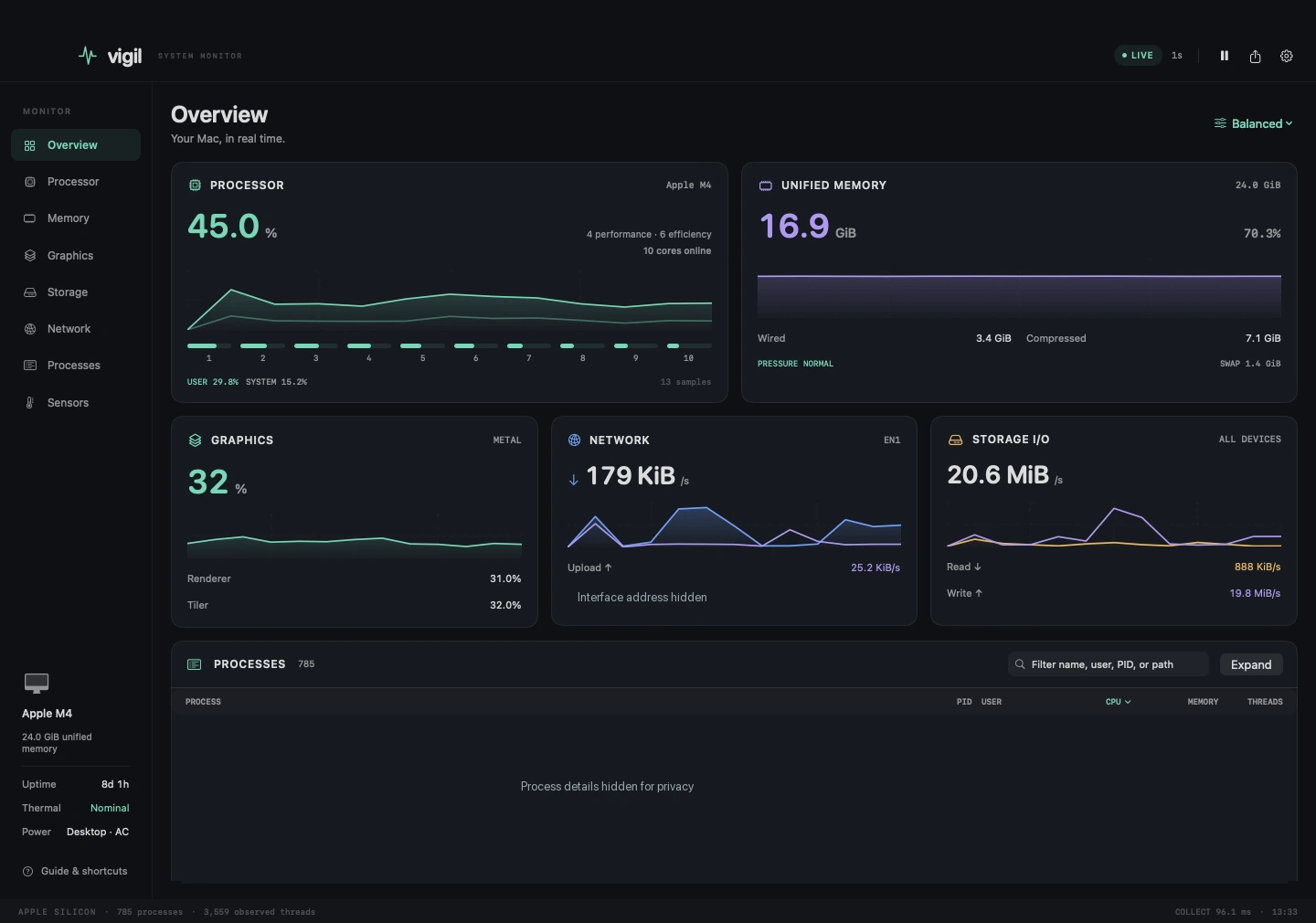
Choose your theme, graph style, update interval, and history length. Save a layout as a custom preset. Export a snapshot when you need a record.
Download Vigil-0.1.0-arm64.dmg and double-click it.
The disk image includes the app, an Applications shortcut, and a clear drag-to-install guide.
Eject the disk image. Launch Vigil from your Applications folder.
BEFORE YOU DOWNLOAD
Vigil targets Apple Silicon Macs running macOS 14 or later. This release has been built and tested on an M4 Mac mini with macOS 27.2. Other models and older supported versions have not yet had physical hardware testing. Sensor coverage varies by chip and OS.
No. Monitoring happens on your Mac. Vigil has no account system or telemetry service. Snapshot export is optional and writes a local JSON file. Review exports before sharing: they can contain process names, users, executable paths, and IP addresses.
Vigil takes inspiration from btop's monitoring and process-control workflows, but it is a separate native implementation. It does not bundle btop, import its theme files, or reproduce every platform-specific option. Protected process data and actions still follow macOS permissions.
macOS restricts details for some system-owned processes. Apple also does not publish stable sensor keys or clock interfaces. Vigil reads what the hardware and OS expose, keeps raw sensor keys visible, and does not install a privileged helper to bypass those limits.
This is an early release for interactive desktop use, not a replacement for production monitoring or an incident record. History stays in memory and ends when you quit. MacBook battery paths still need physical laptop testing, and CPU power channels may remain unavailable.
Keep a closer eye on the Mac you use every day.
c960f122aab0f50a4a314cb0e875ff086e21c3b58c0bf6ef233bb36351c08784